Notice:
Mode 2 (Left stick throttle)
Mode 1 (Right stick throttle)
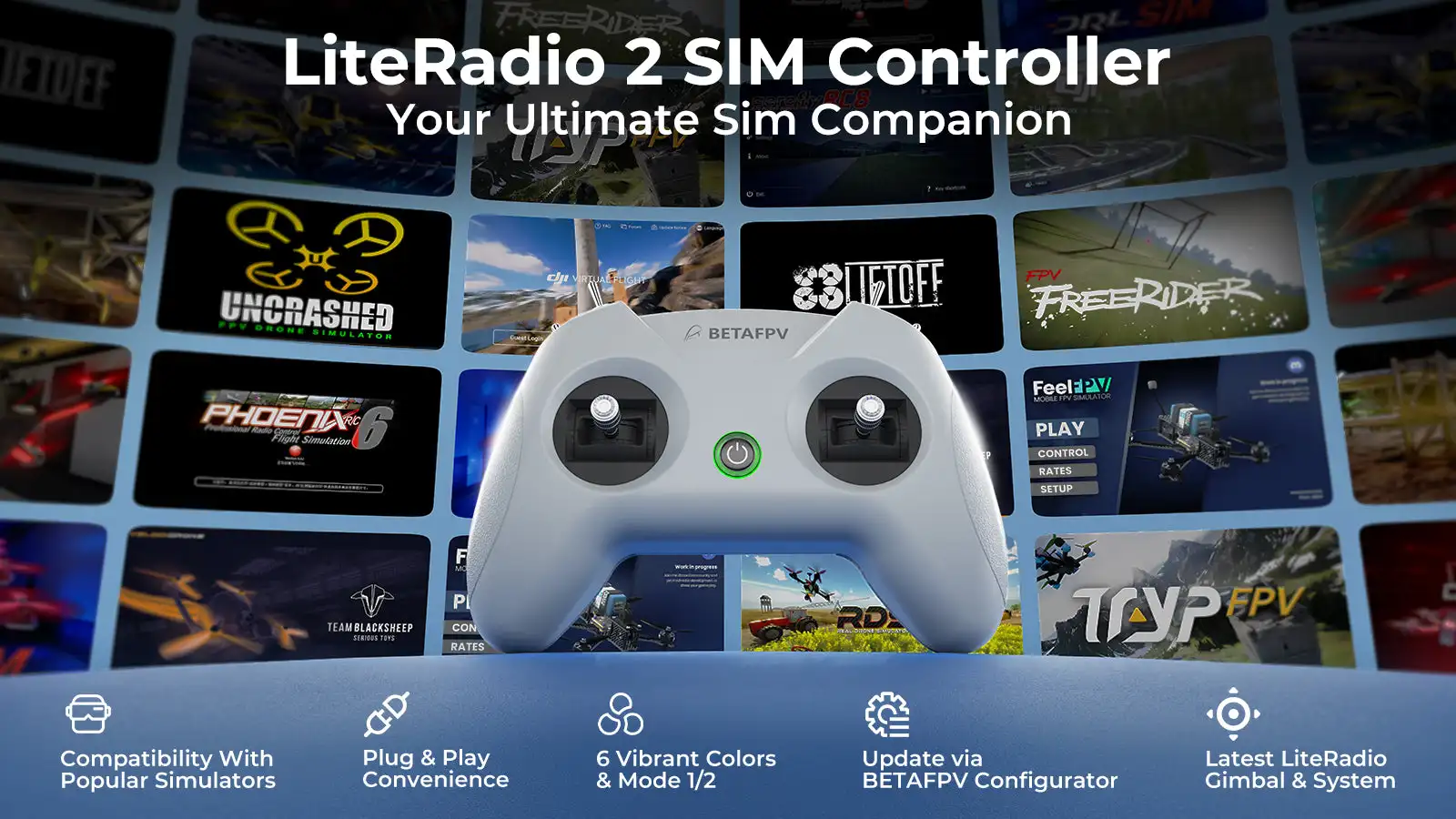
Engineered exclusively for simulator training, the LiteRadio 2 SIM Controller delivers authentic FPV flight feel without real-world risks. Unlock universal compatibility across every major FOR simulator platform – from DRL and VelociDrone to FOR DJI Virtual Flight and Phoenix RC – through its triple-mode connectivity (Joystick/Xbox/Dongle). Customize your setup with vibrant color options and select Mode 1 or Mode 2 configurations. The front-facing Type-C port ensures tangle-free connections to PCs, tablets or mobiles, while BETAFPV Configurator support keeps firmware updated with one click. LiteRadio 2 SIM, your ultimate sim companion!
Bullet Points
- Triple-Mode Sim Access: Practice on every major FPV FOR simulator
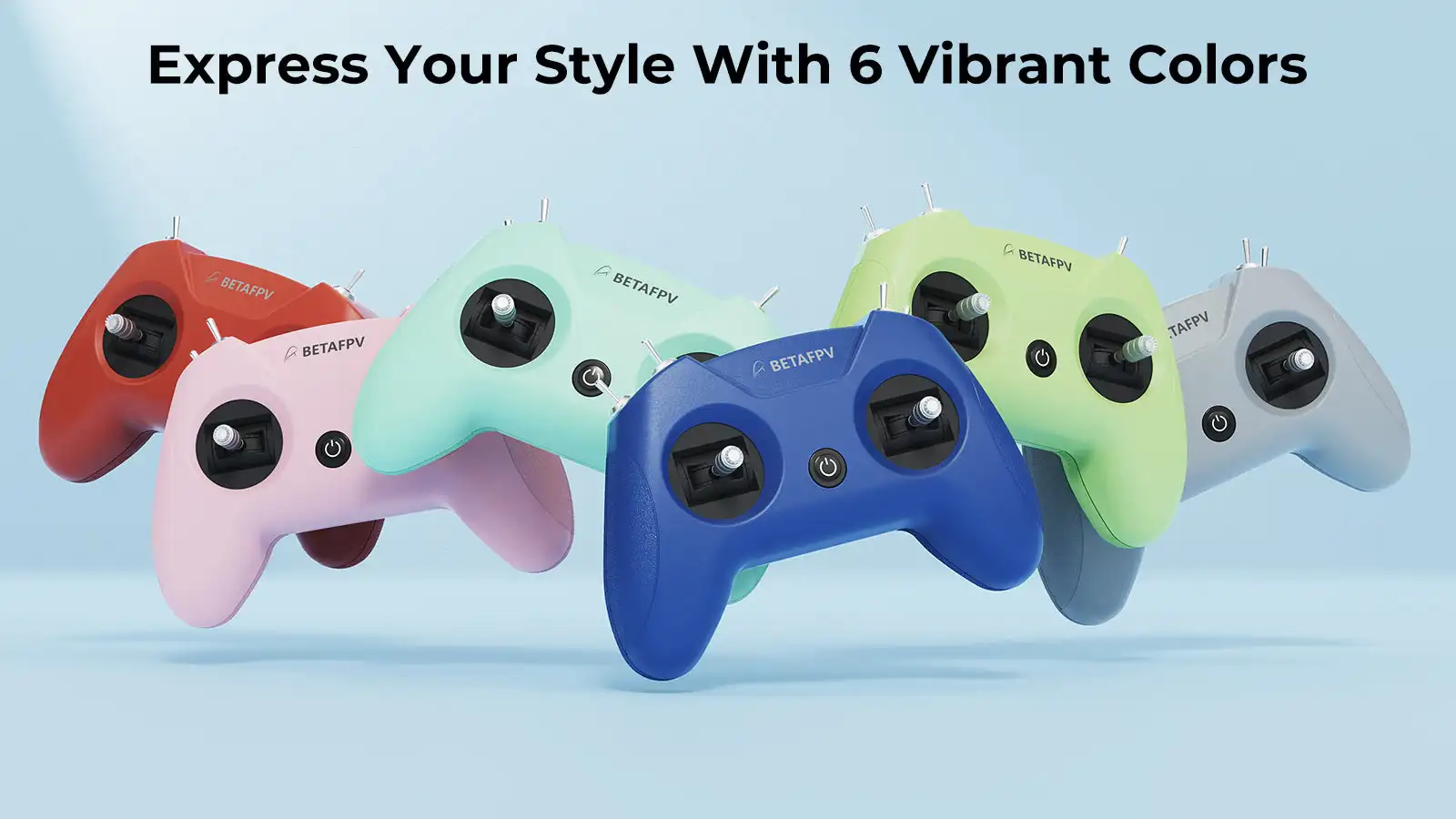
- 6 Vibrant Colors + Mode 1/2: Express your style with Light Gray, Crimson Red, Dark Blue, Light Cyan, Lime Green, and Pink
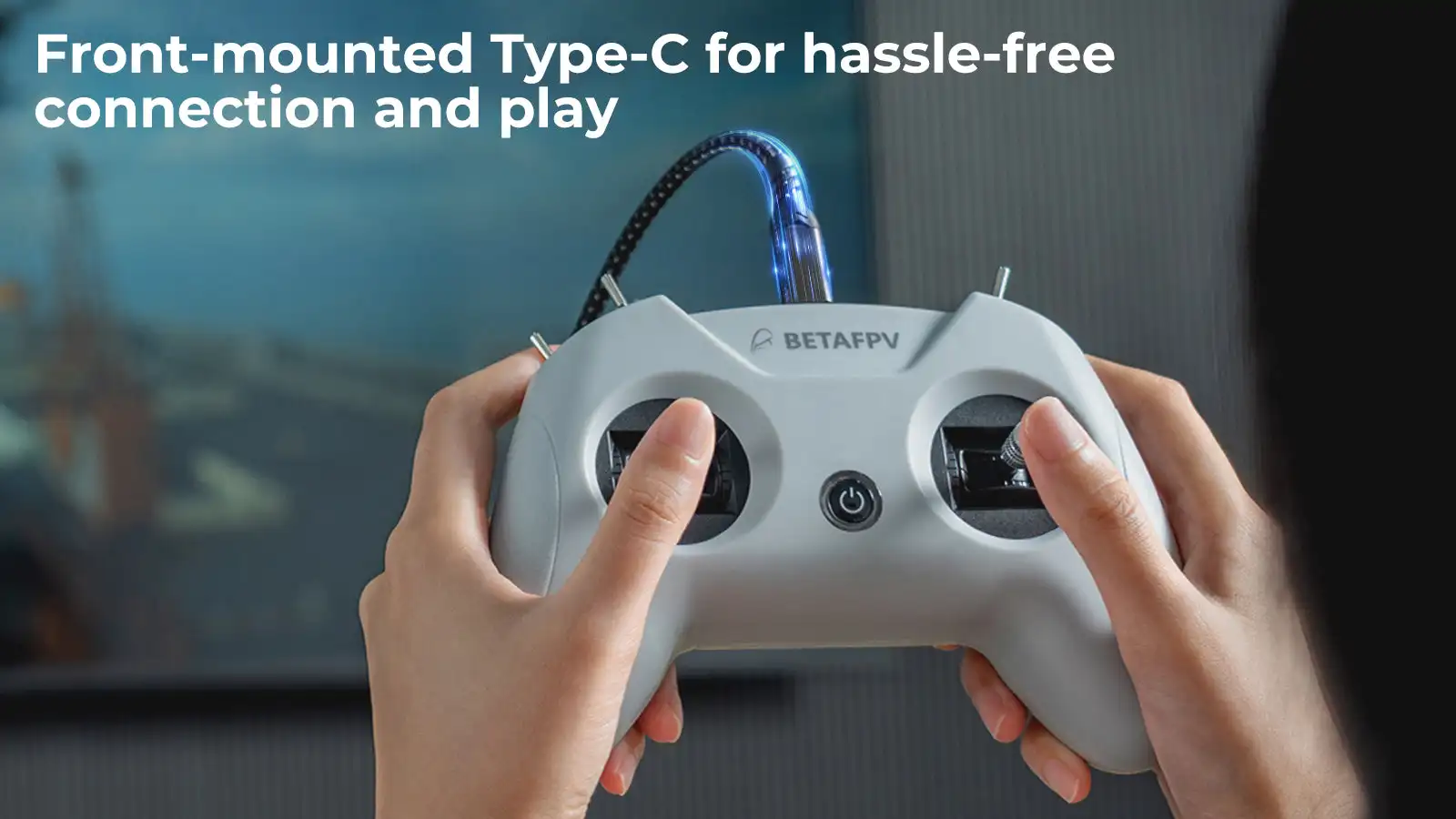
- Plug & Play Convenience: Front-mounted Type-C for hassle-free connection and play
- Engineered for Effortless Mastery: BETAFPV's latest gimbal & LiteRadio system for precise FOR simulator response
- Future-Proof Performance: Seamless firmware upgrades via BETAFPV Configurator for new sims and features
Specifications
- Item: LiteRadio 2 SIM Controller
- Channel: 8
- Gimbal: Potentiometer Gimbal
- Operating Power: 30mA/5V
- Port: Type C
- Power Supply: USB cable connection
- Operating Temperature: -10℃ to 40℃ (14°F to 104°F)
- Weight: c.150g
- Dimensions: 64.5mm*115.3mm*164.6mm
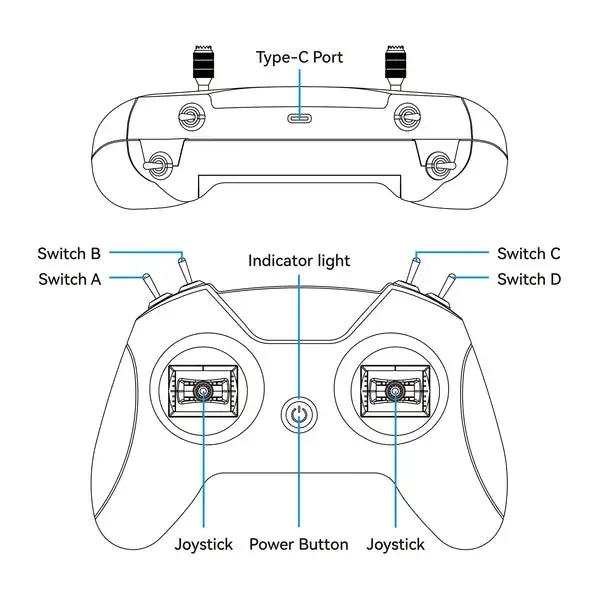
Diagram
Triple-Mode Sim Access
The LiteRadio 2 SIM unlocks universal FOR simulator compatibility across every major FPV and RC flight for simulator on Windows/macOS/Android, providing a seamless cross-platform training experience for pilots at any skill level.
JoyStick Mode: VelociDrone, UNCRASHED, DRL, DCL, Liftoff, TRYP FPV, FeelFPV, FPV Freerider, RaceFly, and other FPV for simulators on Steam.
- Connect LiteRadio 2 SIM to your PC/mobile/tablet using the Type-C cable.
- Recognized as "BETAFPV Joystick".
For Xbox Mode: For Aerofly RC 8, for DJI Virtual Flight.
Simultaneously move the left joystick to the lower right corner and the right joystick to the lower left corner.
Connect LiteRadio 2 SIM to your device using the Type-C cable, then the indicator light flashes white rapidly 3 times, indicating it is in Xbox mode.
Recognized as "BETAFPV Joystick".
- Recognized as "BETAFPV Joystick".
Dongle Mode: Phoenix RC 6.0.
- Simultaneously move the left joystick to the upper right corner and the right joystick to the upper left corner.
- Connect LiteRadio 2 SIM to your device using the Type-C cable, then the indicator light flashes blue rapidly 3 times, indicating it is in Dongle mode.
- Recognized as "BETAFPV Joystick".
Express Your Style - Fly in Color
The LiteRadio 2 SIM lets you train in vibrant personality with 6 eye-catching color options: Light Gray, Crimson Red, Dark Blue, Light Cyan, Lime Green, and Pink. Choose Mode 1 or Mode 2 configurations in our best-selling Light Gray and Crimson Red editions to match your preferred grip style.
Engineered for Effortless Mastery
Featuring a front-mounted Type-C port that eliminates cable strain and enables true plug-and-play operation (connect → fly within seconds), paired with LiteRadio's pro-grade gimbal for pixel-perfect control. Perfect for beginners yet robust enough for advanced training, this controller transforms any desk into a high-performance for simulator cockpit.
Update via BETAFPV Configurator
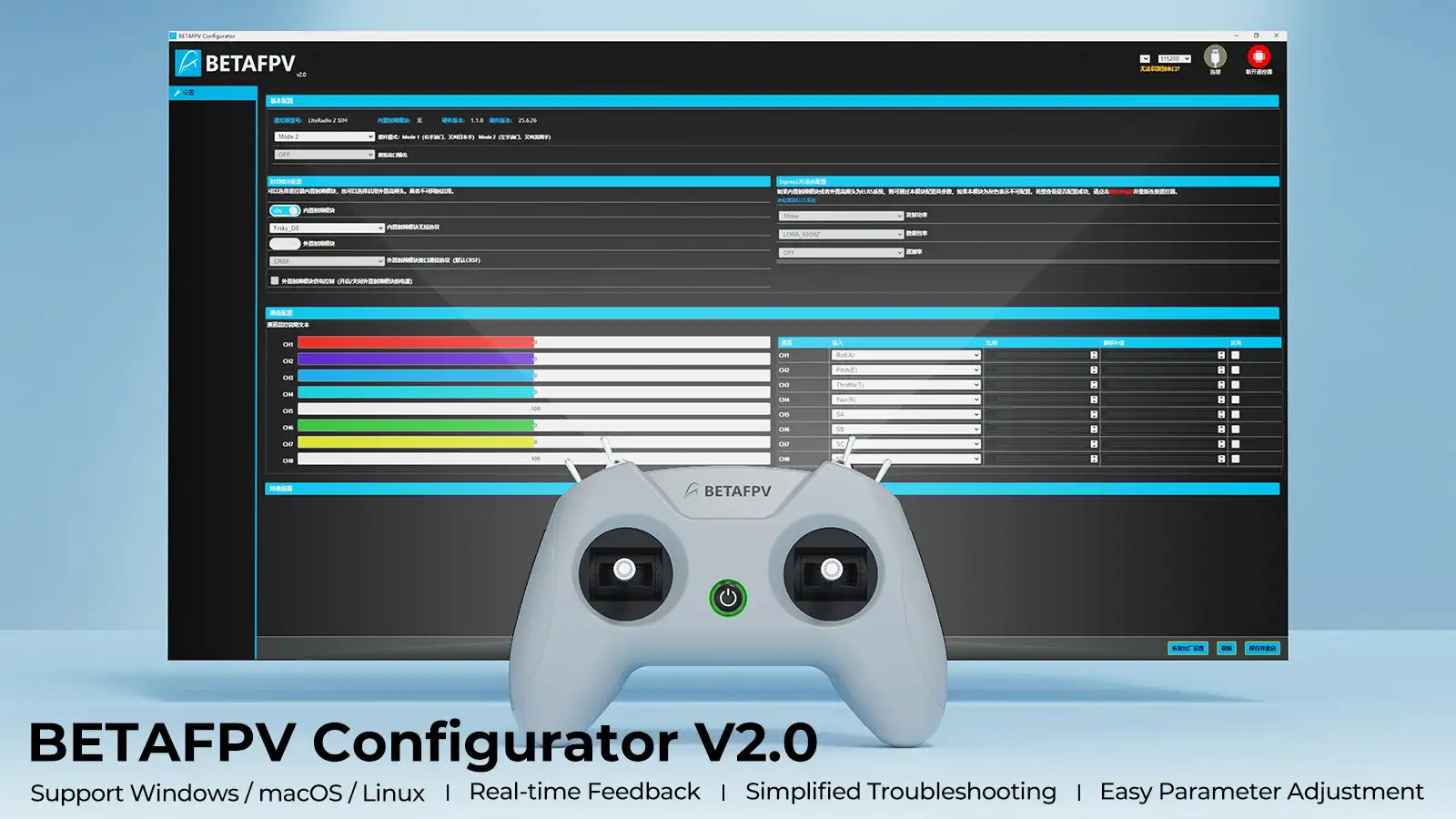
The LiteRadio 2 SIM Controller stays future-ready with updates via the BETAFPV Configurator, ensuring compatibility with new for simulator releases and features. The BETAFPV Configurator is an open-source configuration tool tailored for BETAFPV drones and remote controls. It enables pilots to effortlessly configure and fine-tune various parameters, ensuring more efficient and optimized flight control.
Download address: https://github.com/BETAFPV/BETAFPV_Configurator/releases
Manual: https://support.betafpv.com/hc/en-us/article_attachments/40772076147737
BETAFPV Configurator features:
-
Easy Parameter Adjustment: Designed for BETAFPV's LiteRadio series and Cetus drones with position-hold and auto-hovering features, the software allows pilots to effortlessly adjust PID controller parameters through an intuitive graphical interface, optimizing flight performance with ease.
-
Real-Time Feedback: Instantly displays the effects of parameter adjustments, providing real-time monitoring and helping pilots quickly evaluate and refine settings for the drones or remote controls.
-
Efficient Troubleshooting: With built-in diagnostic tools, the software assists pilots in checking firmware versions and product status when a issue arises, making it easier to identify and resolve issues, minimizing downtime.
-
Streamlined Firmware Flashing: Features a user-friendly firmware flashing mechanism for drones and remote controls, complete with guided instructions and progress indicators, ensuring smooth, error-free updates.
Note: Press the power button on the controller and then connect it to the PC for flashing. Or it will render the USB port non-functional.
File
- LiteRadio 2 SIM Controller User Manual
- Firmware for LiteRadio 2 SIM Controller
Package
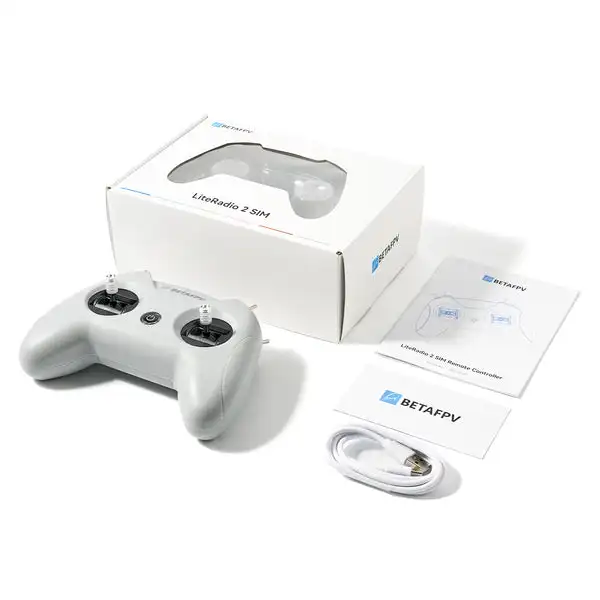
- 1 * LiteRadio 2 SIM Controller
- 1 * USB Type-C Cable
- 1 * User Manual




 English
 Afrikaans
 Albanian
 Amharic
 Arabic
 Armenian
 Azerbaijani
 Basque
 Belarusian
 Bengali
 Bosnian
 Bulgarian
 Catalan
 Cebuano
 Chichewa
 Chinese (Simplified)
 Chinese (Traditional)
 Corsican
 Croatian
 Czech
Czech Danish
 Dutch
Dutch Esperanto
 Estonian
 Filipino
 Finnish
 French
 Frisian
 Galician
 Georgian
 German
 Greek
Greek Gujarati
 Haitian Creole
 Hausa
Hausa Hawaiian
 Hebrew
 Hindi
Hindi Hmong
Hmong Hungarian
 Icelandic
 Igbo
Igbo Indonesian
 Irish
Irish Italian
 Japanese
 Javanese
 Kannada
 Kazakh
 Khmer
Khmer Korean
 Kurdish (Kurmanji)
 Kyrgyz
 Lao
Lao Latin
Latin Latvian
 Lithuanian
 Luxembourgish
 Macedonian
 Malagasy
 Malay
Malay Malayalam
 Maltese
 Maori
Maori Marathi
 Mongolian
 Myanmar (Burmese)
 Nepali
 Norwegian
 Pashto
 Persian
 Polish
 Portuguese
 Punjabi
 Romanian
 Russian
 Samoan
 Scottish Gaelic
 Serbian
 Sesotho
 Shona
Shona Sindhi
 Sinhala
 Slovak
 Slovenian
 Somali
 Spanish
 Sudanese
 Swahili
 Swedish
 Tajik
Tajik Tamil
Tamil Telugu
 Thai
Thai Turkish
 Ukrainian
 Urdu
Urdu Uzbek
Uzbek Vietnamese
 Welsh
Welsh Xhosa
Xhosa Yiddish
 Yoruba
 Zulu
Zulu